Introducing Make Me Map for WordPress: Add interactive maps to your WordPress website without any plugins
In case you don’t know, some time ago we decided to build a service for creating, embedding, and sharing interactive maps.
We had used many different map services before, including the low-level Google Maps API (which is very expensive), while building various apps and websites. We found that some of these services have unpredictable and often high costs (for example, with Google Maps, you can easily be charged several thousand dollars in a week). Others require a lot of development time and dedicated technical expertise. And finally, some just don’t look user-friendly and offer very limited functionality.
That’s why we decided to design and develop our own map service — Make Me Map.
In this post, I’ll show you how you can easily add interactive maps with multiple locations and other data to your WordPress blog or website — to both posts and pages.
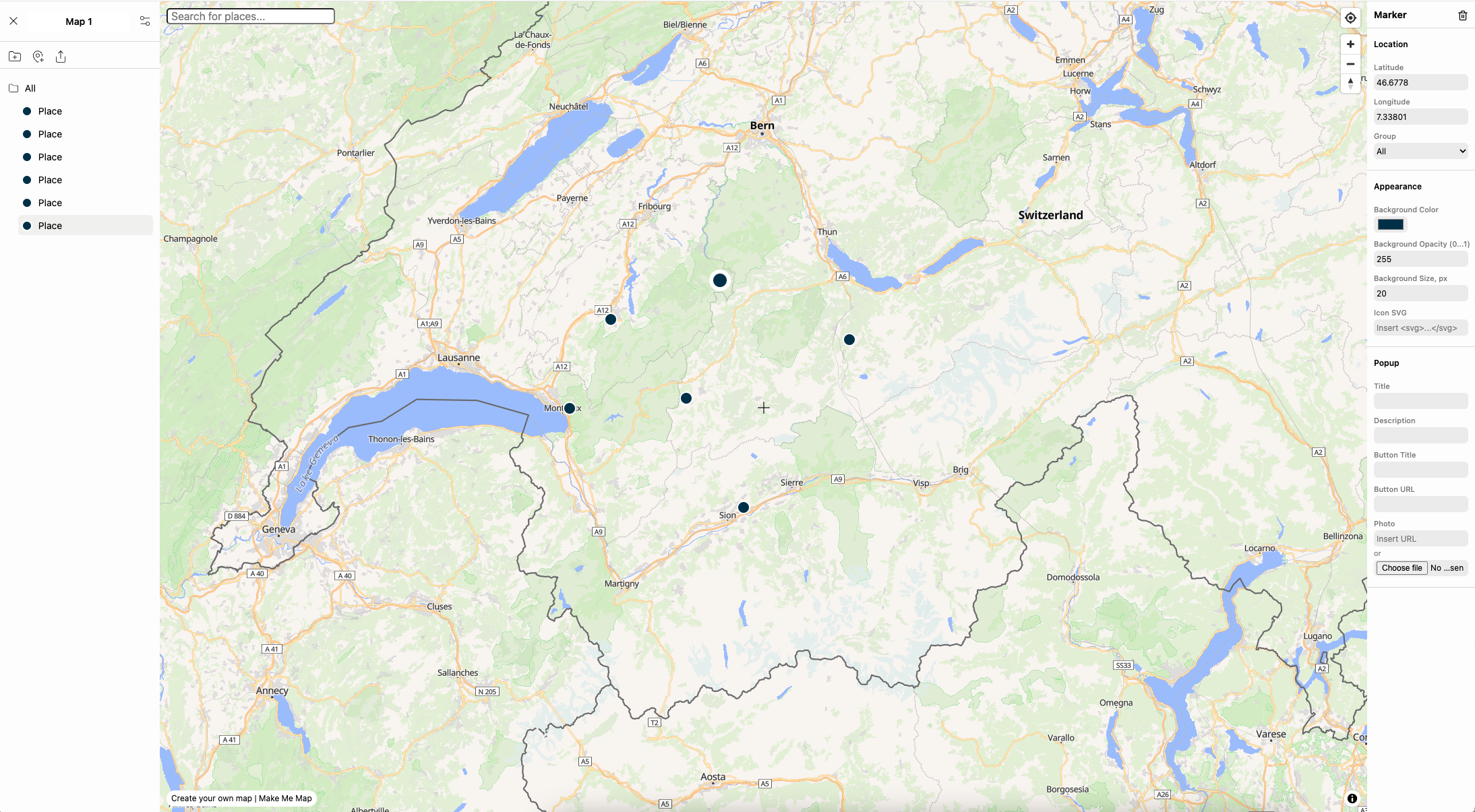
How to Add a Map to WordPress
- Create a map: Go to app.makememap.com, create a map, add pins and other data, then copy the generated HTML code in the map settings.
- Insert the map: Open a post or page in WordPress and paste the code you copied in the previous step.
If your WordPress provider doesn’t allow iframes (for example, if you paste the code but the map doesn’t appear — as on wordpress.com), install a plugin that enables iframe embedding, such as Iframe Plugin.
- (Optional) You can adjust the width, height, and styling of the map (for example, center it on the page). If you’re not sure how to do this, just ask a chat app like ChatGPT — for example, type “how to center the iframe from the code below” and paste your map code.
That’s it! You can insert as many maps as you need. With Make Me Map, you can create up to 10 maps for free. If you need more, our paid plan ($11/month) has unlimited maps.